Data protection
How do I delete my account?
Delete your own portal account – what ends and what remains.
You can delete your personal portal account yourself at any time. Read beforehand what ends with it.
- Open the user menu at the top right and click Delete account (1).
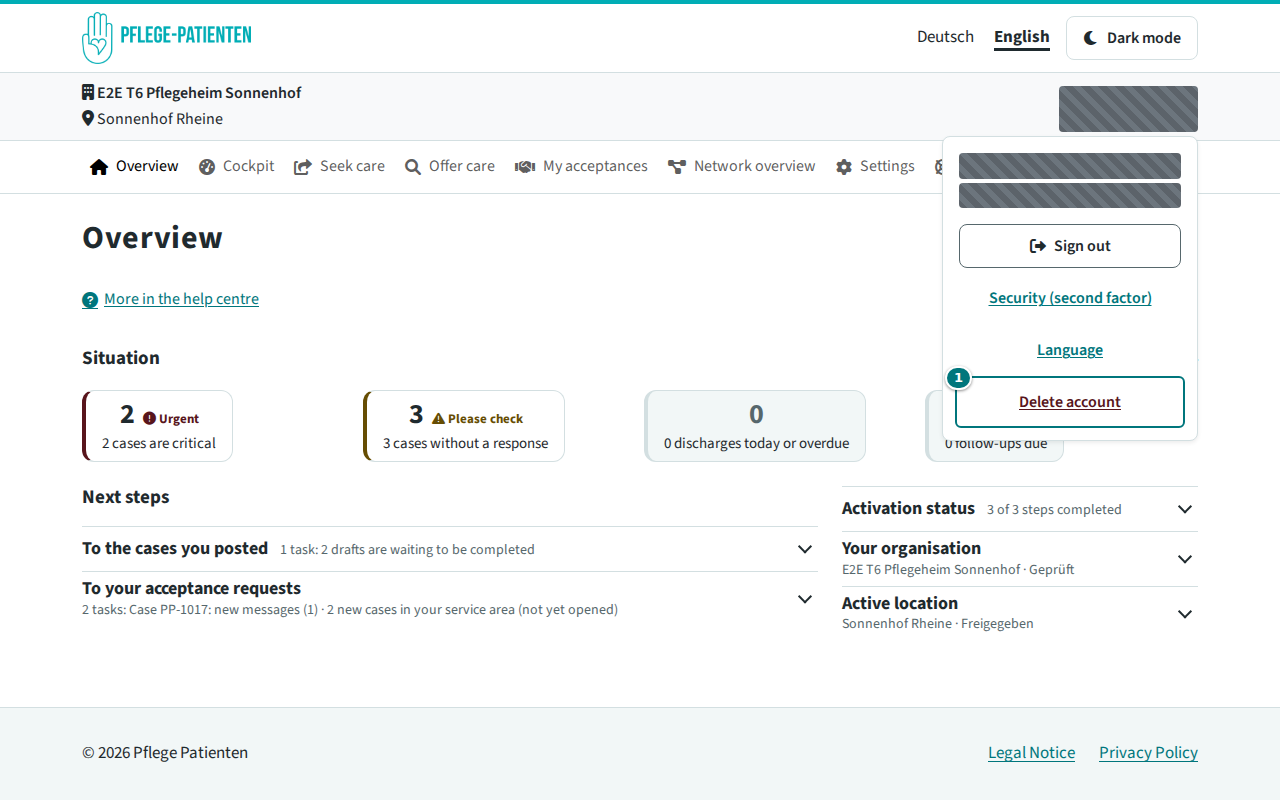
Delete account in the user menu - Check under These accesses end and What happens (1) which consequences the deletion has. If you are the only administrator of an organisation, it says who takes over the administration.
- Confirm that the deletion cannot be undone (2), enter Your current password (3) and click Delete account permanently (4).
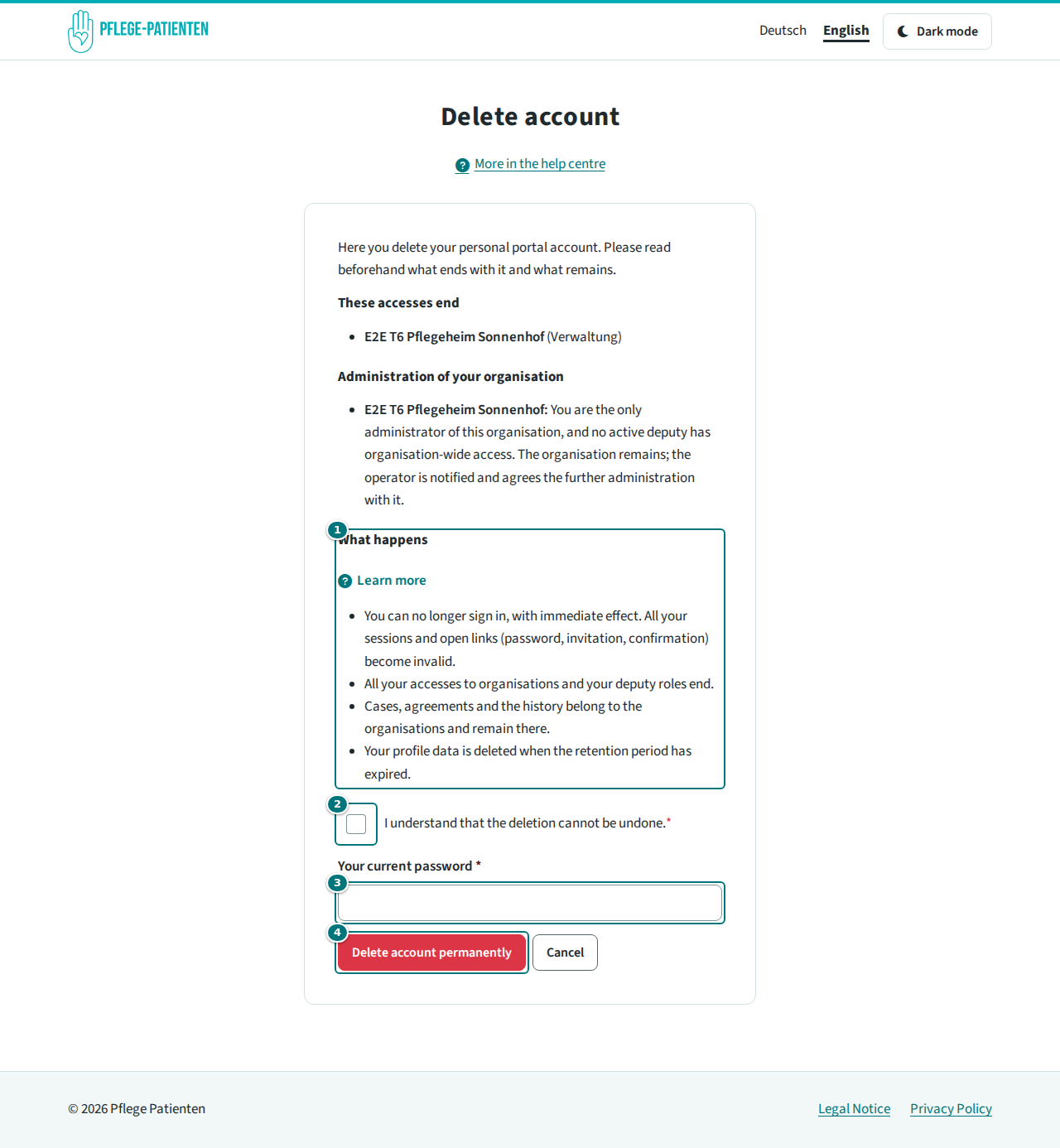
Confirming the deletion
What happens next? You can no longer sign in, immediately; sessions and open links (password, invitation, confirmation) become invalid. All accesses and deputy roles end. Cases, agreements and the history belong to the organisations and remain there. Your profile data is deleted after the retention period has expired.
Common problems
- “The password is not correct” – enter your current password. If you have forgotten it, first reset it via “Forgot password” on the sign-in page.
- You are the only administrator of an organisation – invite another administrator beforehand so that the organisation remains managed.
Related articles